That sharp click-click-click from your mouse can ruin a quiet library session, wake up your roommate at 2 a.m., or distract coworkers in an open office. If loud mouse buttons are driving you (or the people around you) crazy, you’re not alone. The good news is that learning how to make mouse silent is easier than most people think, and you don’t need to be a tech expert to do it.
This guide breaks down every proven method to reduce or eliminate mouse click noise. You’ll discover simple zero-risk fixes anyone can try in seconds, intermediate DIY techniques for the handy user, and permanent hardware solutions for those who want guaranteed silence. Whether you own a budget office mouse or a premium gaming model, there’s a solution here that fits your skill level and budget.
Quick External Fixes to Quiet Mouse Clicks Instantly

You don’t need to open your mouse or buy new gear to get noticeable noise reduction. These external methods are safe, reversible, and surprisingly effective for most users.
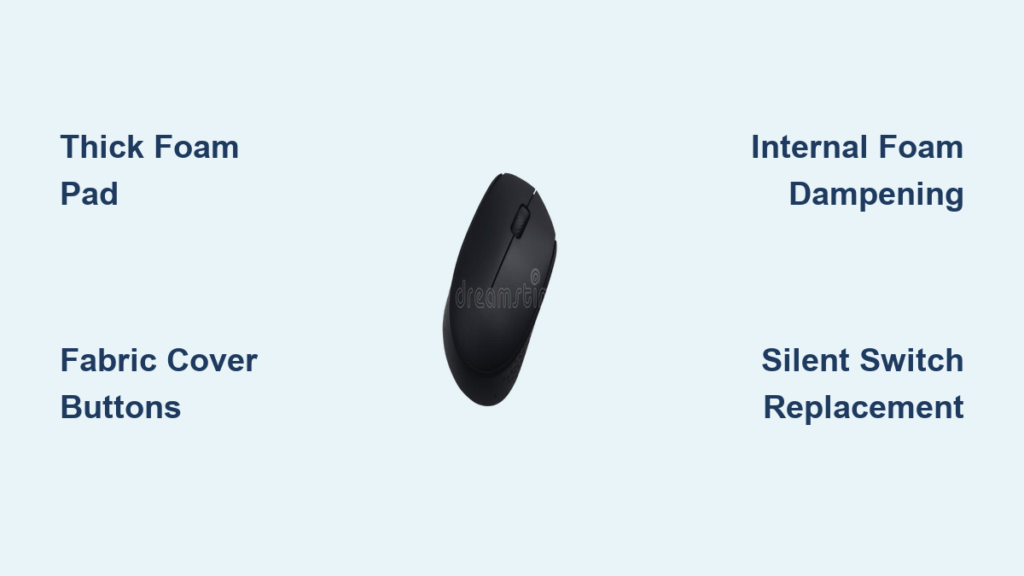
Switch to a Thick Foam or Gel Mouse Pad
Hard desks act like soundboards, amplifying every click by transferring vibrations into the surface. A thick padded mouse pad absorbs that energy before it becomes noise.
- Choose gel or rubber-based pads over thin cloth versions for better dampening
- Full-surface gaming desk mats work even better than standard pads
- Even a folded towel or soft notebook can help in a pinch
This is the easiest zero-risk method and should be your first attempt. Many users report a 40–50% perceived noise drop just from changing surfaces.
Cover Buttons With Fabric or a Glove
For immediate silence in critical moments, place a thin barrier between your finger and the button. This blocks sound waves and softens impact at the source.
- Cut a small piece of soft fabric and tape it lightly over the buttons
- Use a fingertip glove or thin cotton glove for full coverage
- One gamer reportedly played League of Legends this way with clicks barely audible
The feel changes slightly, but it’s perfect for late-night sessions, shared bedrooms, or library work where disturbing others isn’t an option.
Clean Buttons and the Scroll Wheel Thoroughly
Dust, skin oils, and debris build up inside the button mechanism over time. These particles interfere with smooth mechanical movement, making clicks louder and harsher.
- Use isopropyl alcohol and cotton swabs around button edges and the scroll wheel
- Blow out crevices with compressed air while holding buttons down
- Wipe the sensor lens with a dry microfiber cloth
A clean mouse often clicks more quietly and tracks better. Always do this before attempting any internal modification.
Diagnose Where the Noise Actually Comes From
Before you start modding, identify the real source of the sound. Not all mouse noise comes from the left and right click buttons.
Identify Common Noise Types
Different problems require different solutions. Misdiagnosing the source leads to wasted effort and frustration.
- Clicking during scrolling points to a mechanical scroll wheel encoder
- Rattling or loose sounds suggest misaligned internal components
- Squeaky wheel rotation means the axle needs lubrication, not switch work
- Random double-clicks indicate worn-out micro-switches needing replacement
Knowing exactly what’s making noise saves time and prevents unnecessary modifications.
Decide Whether to Repair or Replace
Not every mouse is worth fixing. Use this quick decision framework to choose the best path forward.
| Situation | Best Action |
|---|---|
| Minor noise, active warranty | Use a foam pad or fabric cover |
| Loud scroll wheel only | Clean and lubricate with silicone grease |
| You have soldering skills | Replace switches or add internal foam |
| You want guaranteed silence | Buy a dedicated silent mouse |
If your mouse is failing or still under warranty, opening it up could cost more than a replacement. Match your solution to the problem.
Add Internal Dampening Materials Inside the Shell
For stronger noise reduction, open the mouse and reduce internal resonance. The hollow cavity inside most mice acts like a drum, amplifying the click.
Install Foam or Tape Inside the Top Shell
Adding mass inside the casing absorbs vibrations before they escape as sound.
- Remove the screws on the bottom (usually Phillips-head) and separate the shell
- Cut small pieces of non-conductive foam or thick double-sided tape
- Stick them to the inside of the top shell directly above the buttons
- Reassemble and test click volume
This won’t silence the switch itself, but it kills the high-pitched “ping” caused by plastic resonance. Most users notice a 30–50% drop in overall volume.
Cushion the Switches With Felt or Thin Foam
For more aggressive dampening, place material directly around the micro-switches.
- Use tiny felt pads or thin foam squares positioned around (not on top of) the switches
- Make sure nothing blocks the switch travel or causes sticking
- Test each button after reassembly for clean actuation
Avoid sticky materials like chewing gum or tape adhesive. These degrade over time, leave residue, and can damage electronics. Use clean, durable foam instead.
Lubricate Moving Parts the Right Way
Greasing internal components can soften impact and eliminate squeaks, but only when done correctly with the right products.
Lubricate the Scroll Wheel Shaft
A noisy scroll wheel is one of the most common complaints and one of the easiest fixes.
- Remove the wheel if possible, or access the shaft through the side
- Apply a tiny amount of silicone-based lubricant to the axle
- Spin the wheel to distribute the grease evenly before reassembly
Never use WD-40 or oil-based lubricants on mouse internals. These attract dust, gum up over time, and can damage plastic components. Silicone grease stays clean and lasts much longer.
Avoid Lubricating Click Switches
While some tutorials suggest lubing micro-switches to quiet them, this is risky and generally not recommended.
- Switches depend on metal-to-metal contact to register clicks
- Grease insulates the contacts, causing missed inputs or double-clicks
- Even dielectric grease can interfere with electrical conductivity in small amounts
Lubing switches is better suited for fixing worn-out units, not silencing functional ones. Stick to lubricating the scroll wheel only.
Replace Loud Switches With Silent Versions

For a permanent professional-grade fix, swap out the stock switches for silent alternatives. This requires soldering skills but delivers the best results.
Install Kailh, Huano, or TTC Silent Micro-Switches
Standard switches like Omron are loud by design. Silent versions use rubber buffers to soften the metal snap without losing tactile feedback.
- Recommended models include Kailh Silent, Huano Silent, and TTC Silent switches
- These cut noise by 90% or more while keeping a crisp tactile bump
- Rated for 20 million+ clicks, matching standard switch durability
The replacement process involves desoldering the old 3-pin switches and soldering in the new ones. You’ll need a soldering iron, desoldering pump, and basic electronics experience. Not beginner-friendly, but worth it if you love your mouse’s shape and ergonomics.
Upgrade the Scroll Wheel Mechanism
Some scroll wheels are inherently loud due to their ratchet design.
- Replace with a silent ratchet or free-spin wheel if your model supports it
- The Logitech MX Master series is famous for its smooth, quiet scroll mechanism
- Check aftermarket compatibility before purchasing replacement wheels
This is a more advanced mod but can completely eliminate scroll wheel noise.
Buy a Dedicated Silent Mouse for Guaranteed Results

If mods feel too risky or you just want a plug-and-play solution, dedicated silent mice deliver professional-grade quietness right out of the box.
How Silent Mouse Technology Works
Modern silent mice replace the standard metal snap mechanism with rubber-buffered switches. These dampen contact between the spring and plate, eliminating the sharp click while preserving tactile feedback.
- Noise reduction exceeds 90% compared to standard mice
- Buttons still feel crisp, not mushy, thanks to modern switch engineering
- Rated durability matches or exceeds traditional switches at 20 million+ clicks
The old myth that silent mice feel weak or unreliable is outdated. Today’s silent switches offer excellent tactile response suitable for both office work and gaming.
Top Silent Mouse Models Worth Considering
| Model | Key Features | Best For |
|---|---|---|
| ATTACK SHARK X2 | Tri-mode wireless, PixArt sensor, RGB | Gamers needing silence |
| Logitech MX Anywhere 3 | Ultra-quiet scroll, premium build | Professionals |
| Microsoft Sculpt Comfort | Ergonomic design, soft clicks | Office and home use |
| Razer Basilisk V3 | Adjustable silent scroll mode | Hybrid work and gaming |
These aren’t just quiet. They’re high-performance devices with modern sensors, long battery life, and reliable wireless connectivity.
Debunking Common Silent Mouse Myths
Several misconceptions keep people from buying silent mice. Here’s the truth.
- Silent mice are expensive. False. Price depends on sensor quality, battery, and brand, not the silent switches themselves.
- Wireless mice are quieter than wired ones. False. Connection type has zero impact on click noise. A loud wireless mouse is still loud.
- Silent switches feel weak or mushy. Outdated. Modern silent switches provide distinct tactile bumps, just without the loud snap.
You can get gaming-grade performance with near-silent operation. Only professional esports players who rely on auditory rhythm cues might notice a difference.
Prevent Future Noise Problems With Simple Maintenance
Once you’ve quieted your mouse, keep it that way with regular care.
Clean Your Mouse Every One to Two Months
Dust and skin oils accumulate quickly, especially around buttons and the scroll wheel.
- Wipe down surfaces with alcohol wipes or a dry microfiber cloth
- Blow out crevices with compressed air
- Pay special attention to button edges and the sensor lens
Regular cleaning prevents debris from amplifying noise and extends your mouse’s lifespan.
Handle Buttons Gently
Heavy-handed clicking wears out switches faster and creates louder impacts.
- Press buttons with light, controlled pressure
- Avoid slamming or mashing during intense gaming moments
- Treat the mouse as a precision tool, not a stress reliever
Gentle handling reduces wear on internal components and keeps clicks quieter over time.
Store the Mouse Properly When Not in Use
Environmental factors affect long-term performance.
- Keep the mouse covered or in a protective case
- Avoid extreme temperatures, humidity, and direct sunlight
- Store away from dust-prone areas
Proper storage protects internal switches and preserves switch lubrication, keeping your mouse quiet for years.
Frequently Asked Questions About Making a Mouse Silent
Do silent mouse switches really last as long as regular ones?
Yes. Modern silent switches from reputable manufacturers like Kailh, Huano, and TTC are rated for 20 million clicks or more. This matches or exceeds the durability of standard Omron switches found in most gaming mice. Early silent switches from years ago had shorter lifespans (3–5 million clicks), but current technology has closed that gap completely.
Can I make my current mouse silent without buying a new one?
Absolutely. External methods like thick mouse pads and fabric covers work immediately with no tools. Internal modifications like adding foam inside the shell can reduce noise by 30–50%. For a permanent fix, replacing the micro-switches with silent versions eliminates up to 90% of click noise while keeping your favorite mouse shape and ergonomics.
Will lubricating my mouse switches make them quieter?
Lubricating scroll wheels with silicone grease does reduce squeaks and friction noise. However, lubricating click switches is risky and not recommended for noise reduction. Grease can insulate the metal contacts, causing double-clicks, missed inputs, or complete switch failure. The safer approach is switch replacement if you want true silence.
Are silent mice good for gaming?
Yes, for 99% of gamers. Modern silent mice offer comparable latency and actuation points to standard gaming mice. The only players who might notice a difference are professional esports competitors who rely on auditory click feedback for rhythm-based games. For casual and competitive gaming alike, silent mice deliver full performance without the noise.
Why is my wireless mouse still loud even though it’s wireless?
Connection type (wired versus wireless) has no impact on click volume. The noise comes from the physical micro-switch mechanism, not data transmission. If your wireless mouse is loud, the switches themselves are loud. Focus on switch specification and shell density rather than connection type when shopping for a quieter mouse.
Key Takeaways for Silencing Your Mouse Clicks
Making your mouse silent is entirely achievable at any budget and skill level. The simplest solutions, like switching to a thick foam mouse pad or covering buttons with fabric, solve the problem for most people in seconds. Intermediate users can open their mouse and add internal foam for a 30–50% noise drop. Skilled DIYers can desolder and replace switches for a permanent 90%+ reduction. And anyone who wants guaranteed results without the hassle can buy a dedicated silent mouse like the ATTACK SHARK X2 or Logitech MX Anywhere 3.
Start with the easiest method that fits your situation. If a foam pad and gentle handling solve the problem, you’re done in minutes. If you need more aggressive noise reduction, work your way up to internal mods or a hardware upgrade. The key is matching the solution to your noise level, technical comfort, and budget. Now you have everything you need to enjoy quiet, distraction-free computing, whether you’re working late, gaming hard, or just trying to keep the peace at home.